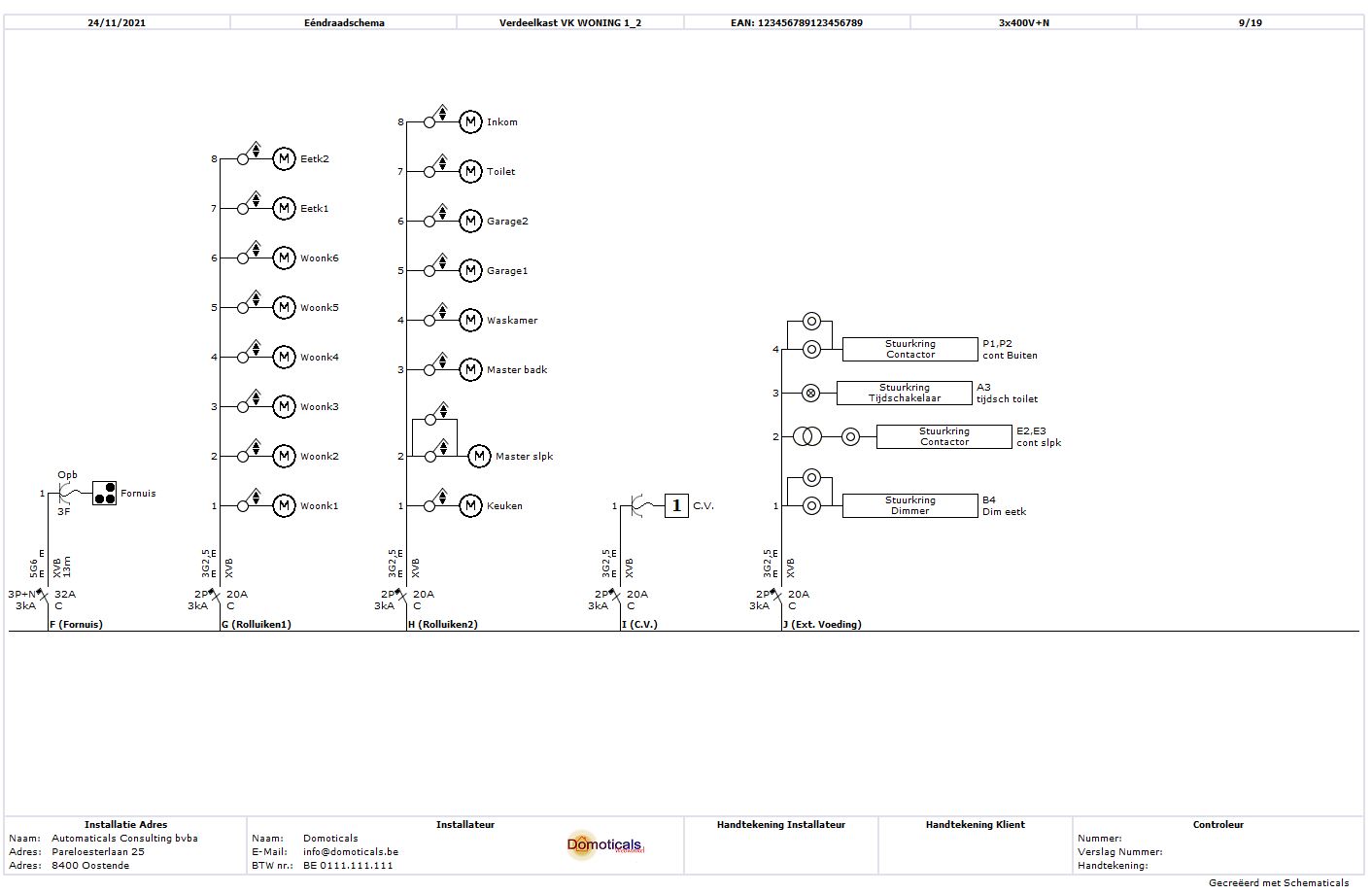
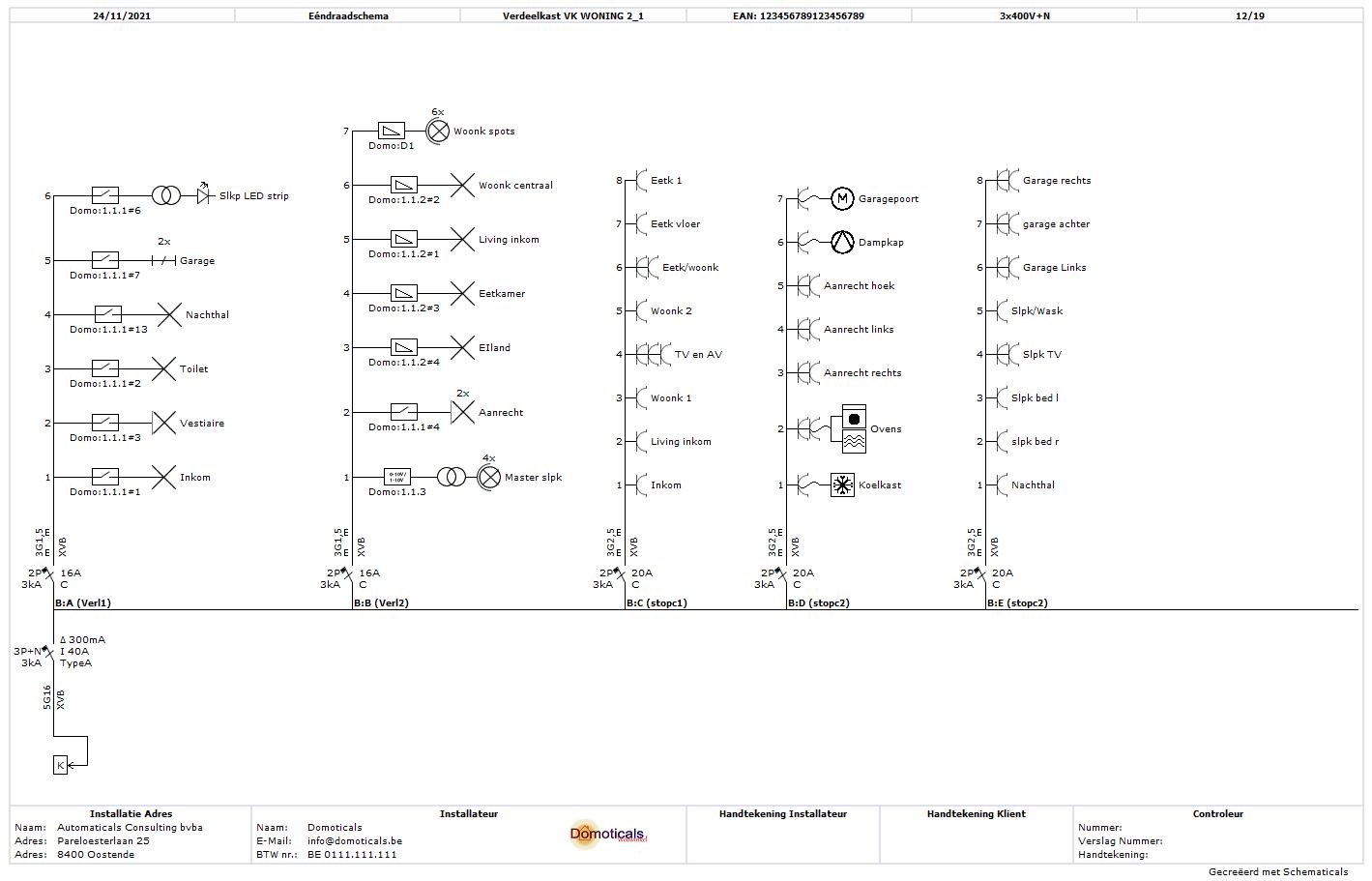
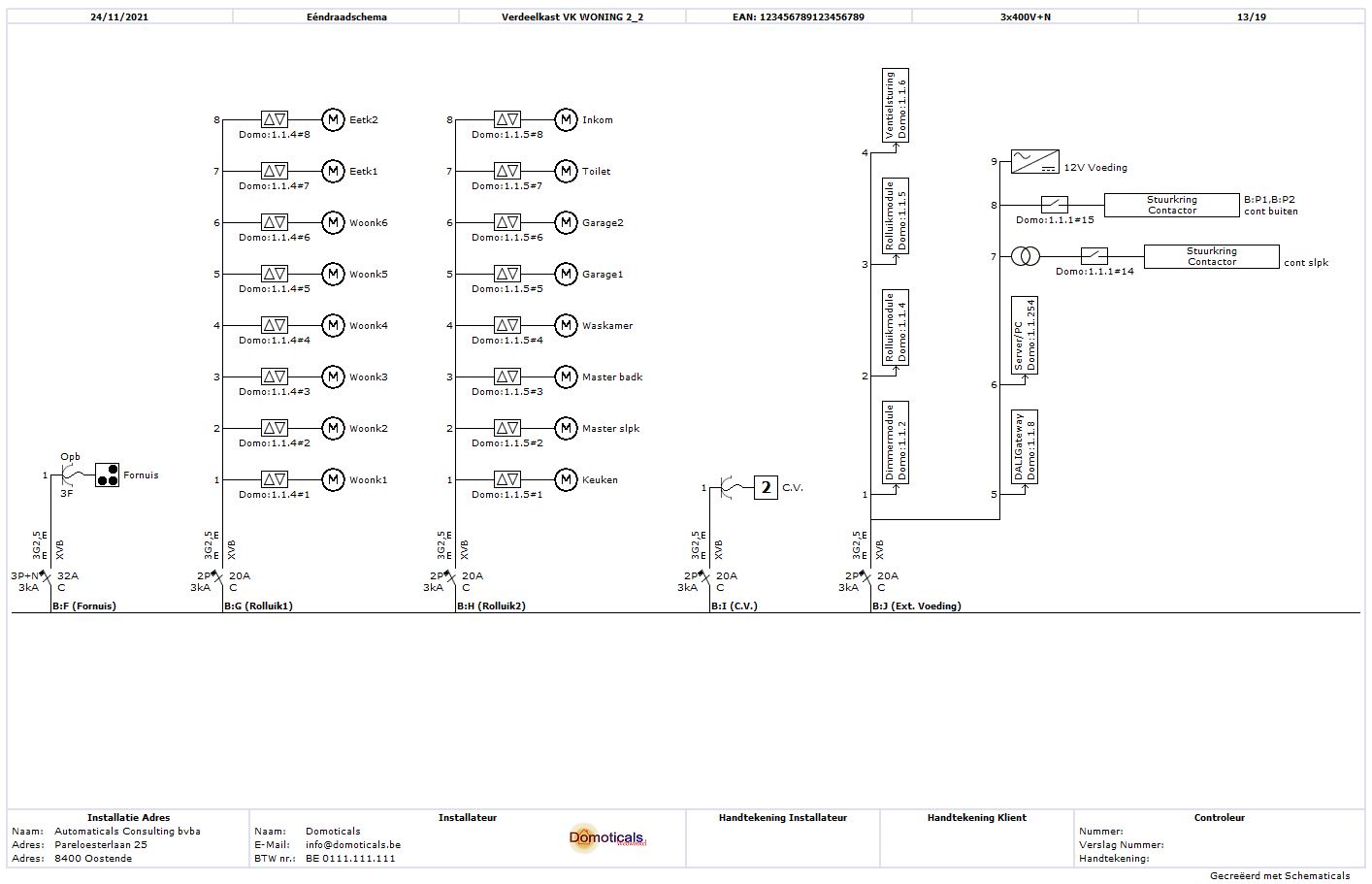
With our electrical drawing program you can quickly and easily draw your electrical diagrams. Starting from your situation diagram, the One-Wire diagram is fully automatically drawn. No detours or double work. Simple and fast.
But there's more. You can also create a design of your fuse box or distribution board and make labels, create a block diagram and cable tracing, easily create a table of external influence factors and automatically generate a circuit list that you can print and attach to the fuse box.
Download the free trial version of Schematics now and convince yourself.
Need help? Numerous short instructional videos, a clear manual and a demo project will help you on your way.
Convinced? Then buy a license key through our web shop and enjoy the full functionality of Schematicals.
Save time and effort. With Schematicals, you start with your fuse box and situation diagram, from which the one-wire diagram is fully automatically generated. This way, you can save up to 30% time.
One adjustment = everything adjusted. Schematicals keeps track of all connections and connections accurately and knows your electrical installation inside out. If you make an adjustment somewhere in the situation diagram that also affects other connections in the one-ware diagram, these will also be automatically adjusted. No double work and no errors.
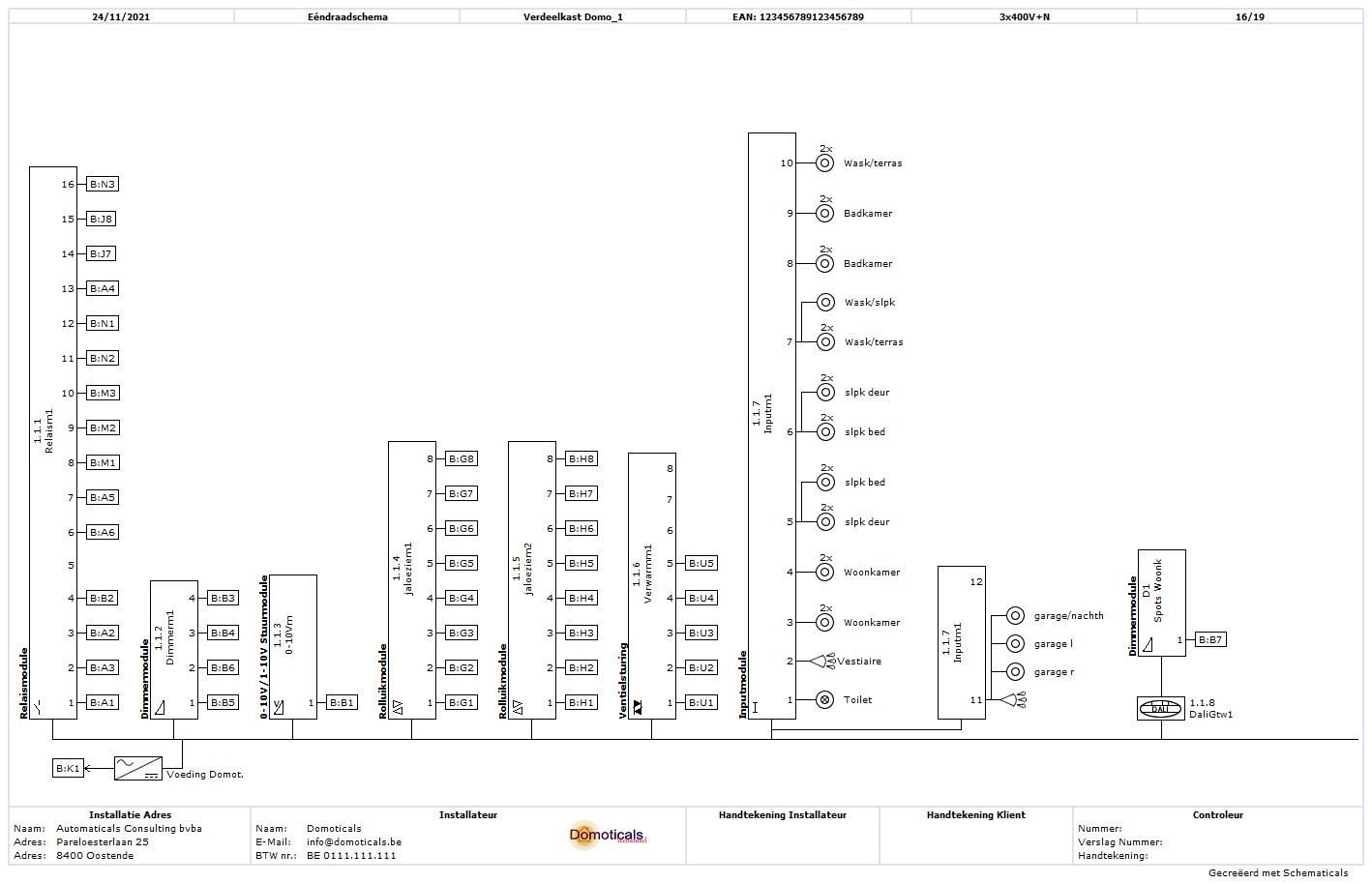
Advanced domotics diagrams. If you have domotics applications in your electrical installation, a one-wire diagram will also be automatically generated for this. This diagram can also serve as a connection guide during installation.
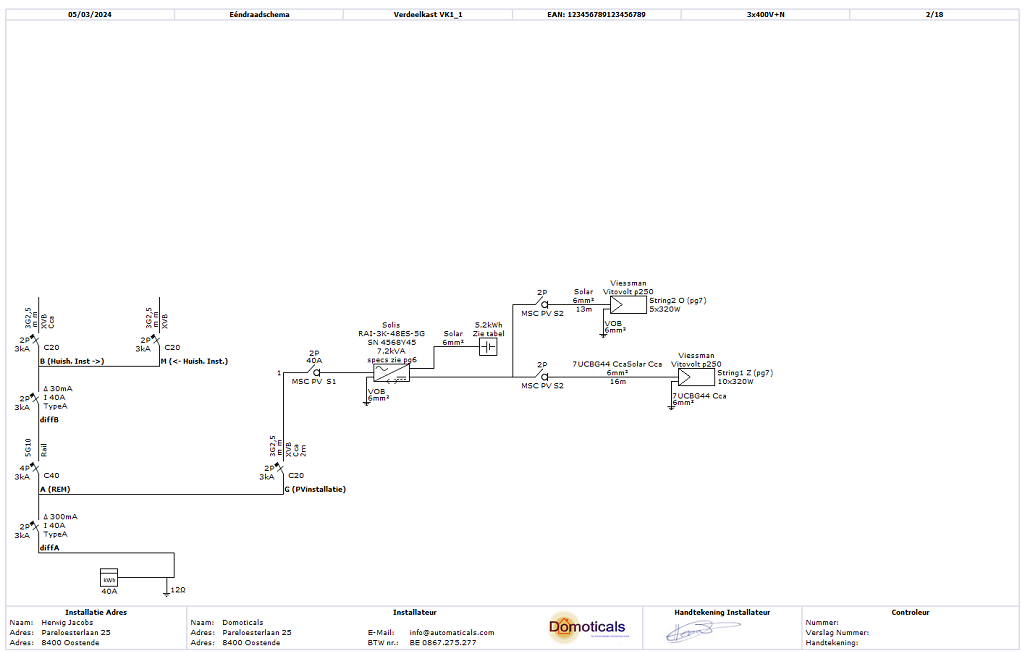
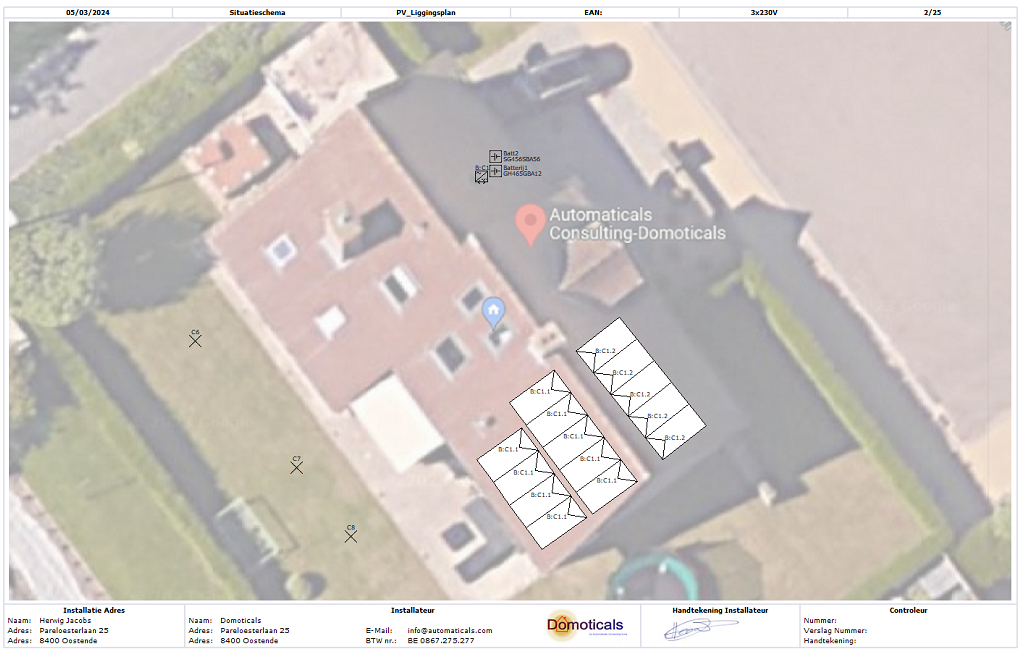
Diagrams for PV installation. With Schematicals, you can quickly assemble your PV installation (inverter, solar panels, and batteries) and the one-wire diagram for this will also be automatically created. But there's more, it also allows you to quickly create a clear and very overview diagram of the solar panels.
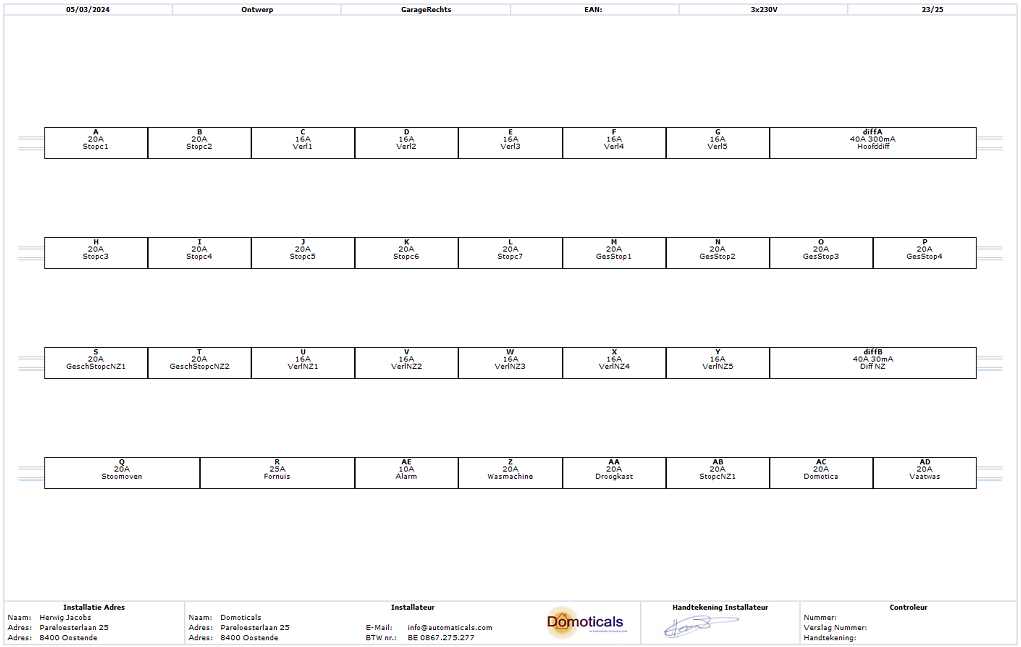
Design your panel. Do you want to create a design for your distribution panel? This can be done very quickly and easily with Schematicals, and based on your design, you can also print labels tailored to your fuse box, simply on paper (or sticker) or in Excel format, ideal for use with a label printer.
And much more. Such as creating a detailled list of screw terminals, a cable route, block diagram, list of circuits, table with external influence factors,...
Schematicals is more than just an electrical drawing program to generate electrical diagrams according to the AREI (Belgian law). Due to the functionality of the software package, it is also an ideal tool to work out and assemble your electrical installation, possibly in consultation with the customer. This is not limited to Belgian legislation, but is also applicable in other countries, because while the legal setup of an electrical installation may differ from country to country, electricity remains electricity, regardless of the country.
Place the lighting points, switches, sockets,... on the floor plan and assign them systematically to the power circuits afterwards. Is there a home automation system present? Then indicate which output or input is connected to which consumer or switching device, and the connection diagram of the home automation modules is automatically created.
You can download Schematicals here. You will then have the free test version of Schematicals with limited functionality. It will already give you a good idea of how Schematicals works. Through our web store you can purchase a key to enjoy the full functionality. Compare the different versions and prices here.
(Only tested for Windows 10 and 11 on PC or Laptop)
(Customers also report successful installation on Mac, via virtual machine Parallels, Bootcamp and Codeweavers Crossover)
Build your electrical installation schematically and create the basis for your one-wire diagram
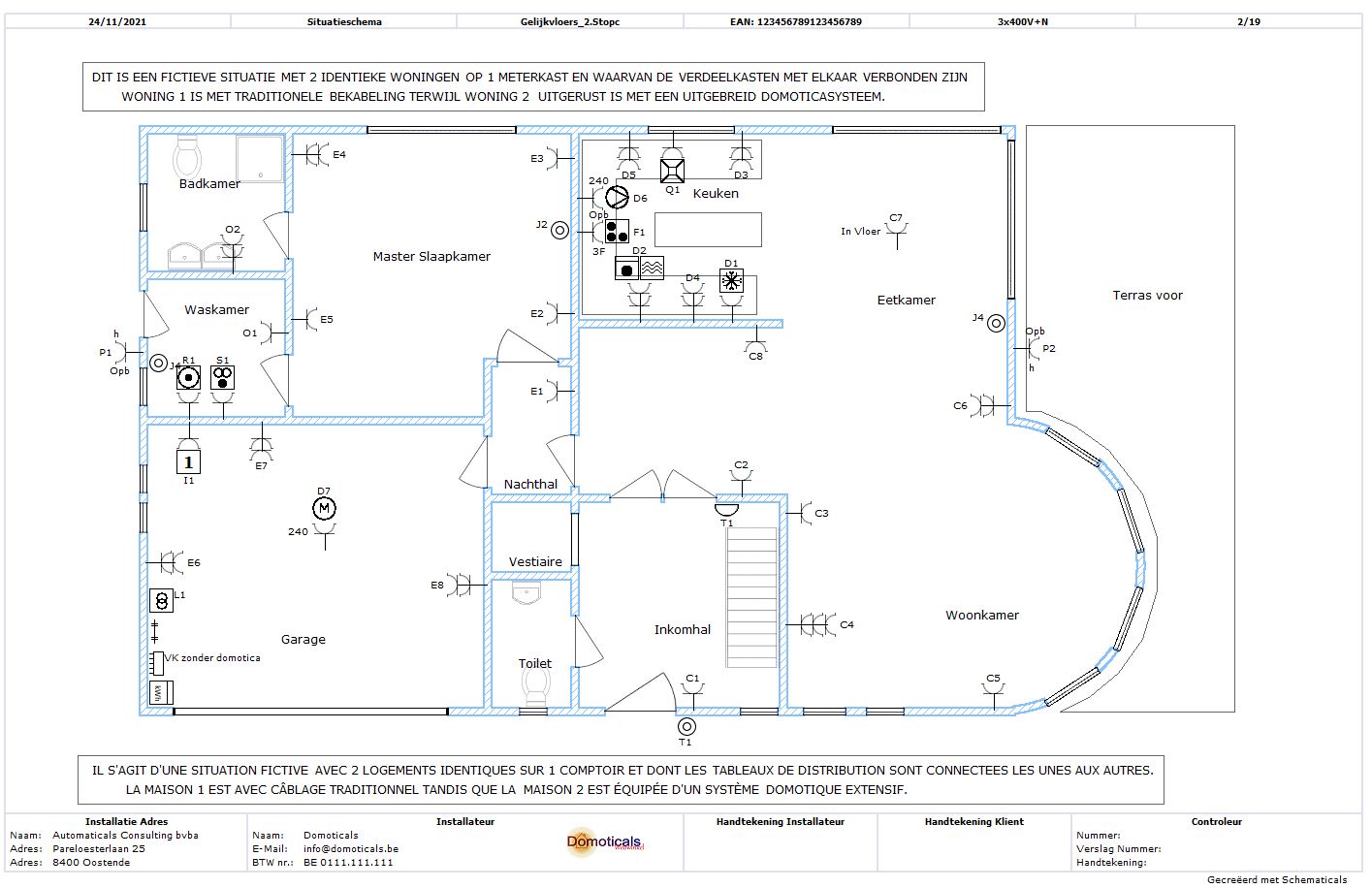
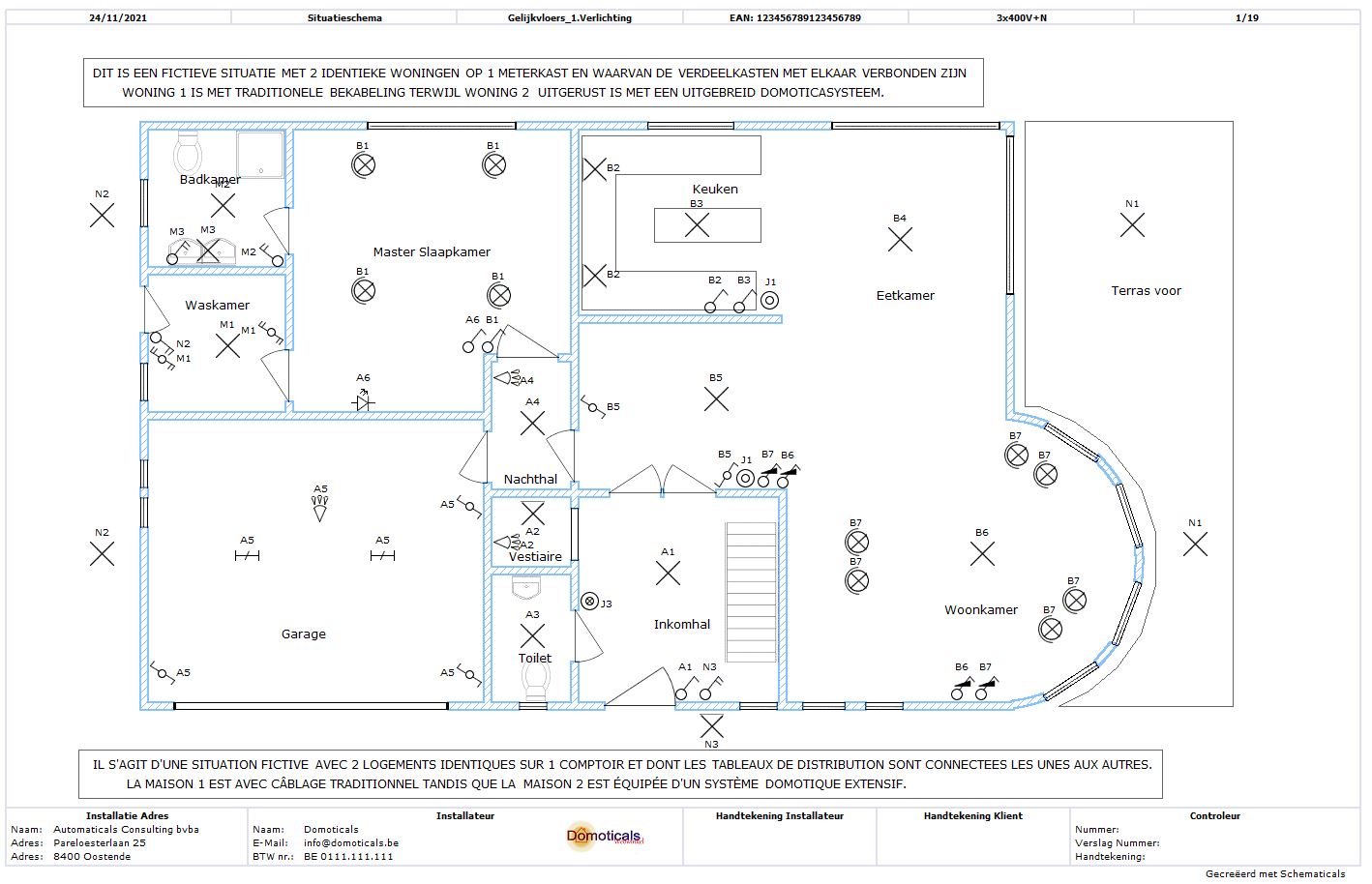
Draw the floor plans of the building within Schematicals. These will then be available for creating your situation diagrams.
Place your sockets, spots,... on your situation diagram and assign them to the correct power circuit. Via the attributes, you can set up all the switches.
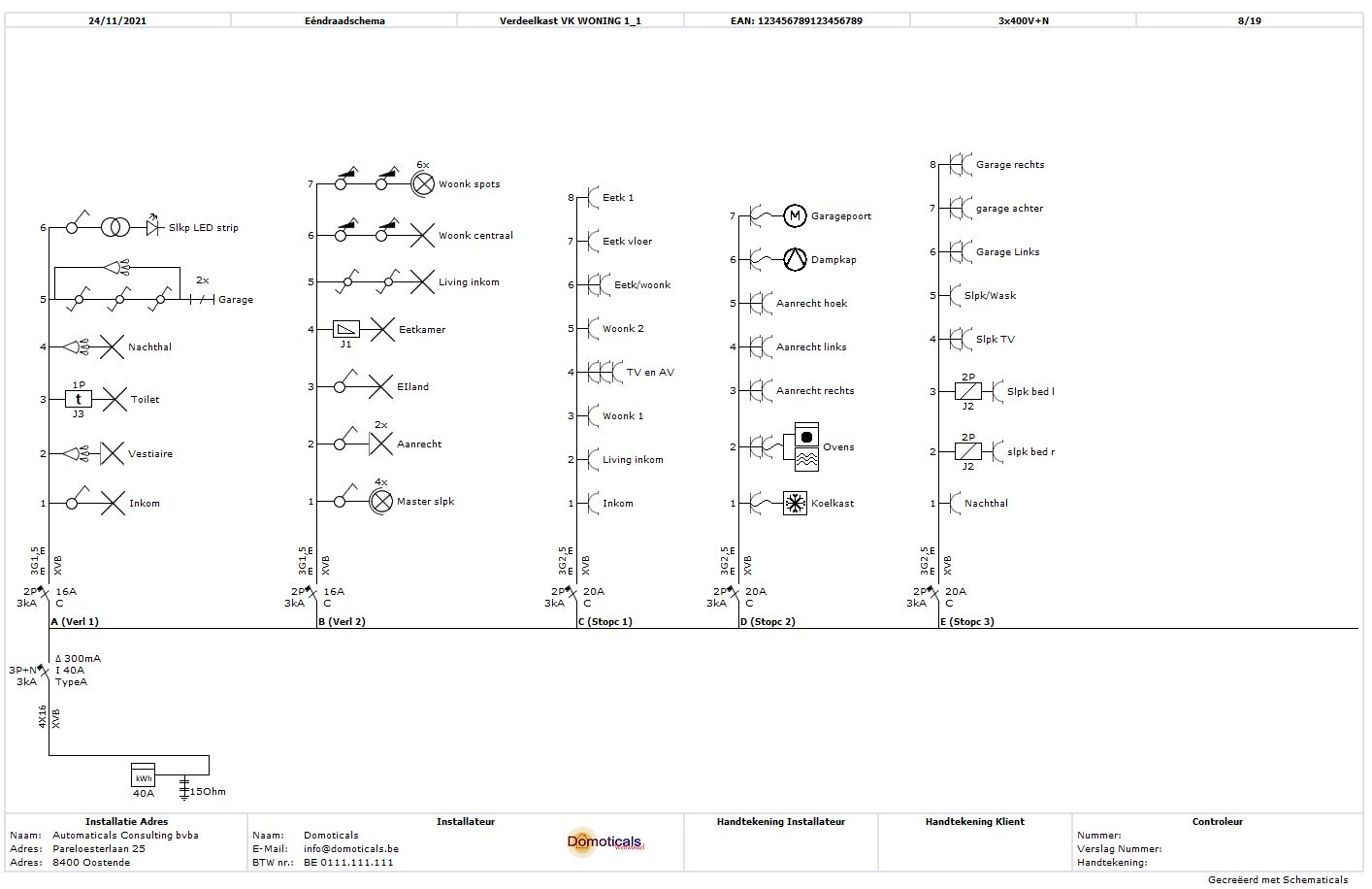
The one-wire diagrams are created fully and in accordance with the A.R.E.I. No extra work, no double work.
The one-wire diagrams automatically created by Schematicals are fully in accordance with the guidelines from the A.R.E.I.
Switching can be displayed as series and parallel switching. Control circuits and power circuits are displayed separately.
The way Schematicals works ensures that you work as efficiently as possible! No double work anymore!
The one-wire diagram is created automatically from your situation diagram. Changes are displayed immediately.
Schematicals also creates a parts list that can be used as the basis for a quote or order.
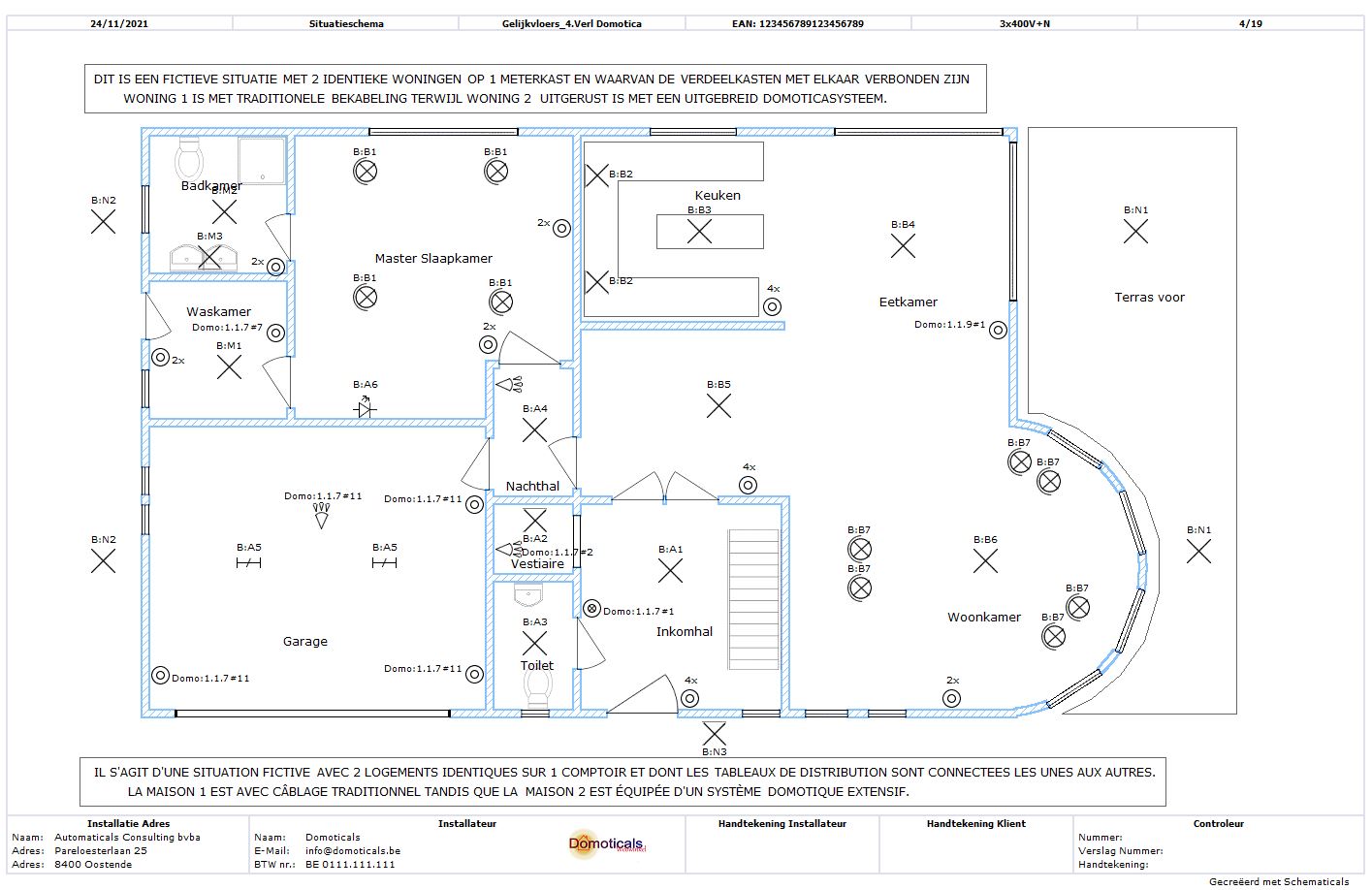
Home automation applications can also be easily integrated into the electrical diagrams. Schematicals also creates an SELV one-wire diagram, which is also a connection diagram at the same time.
A table with the external influence factors, necessary for the inspection of certain installations, can be intuitively created.
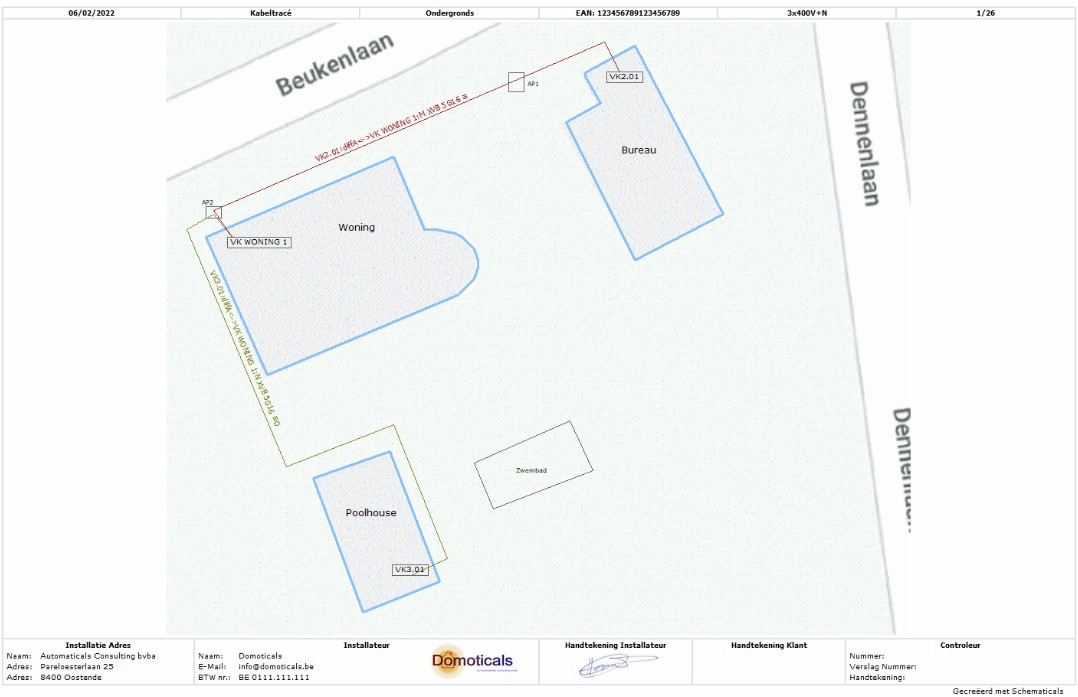
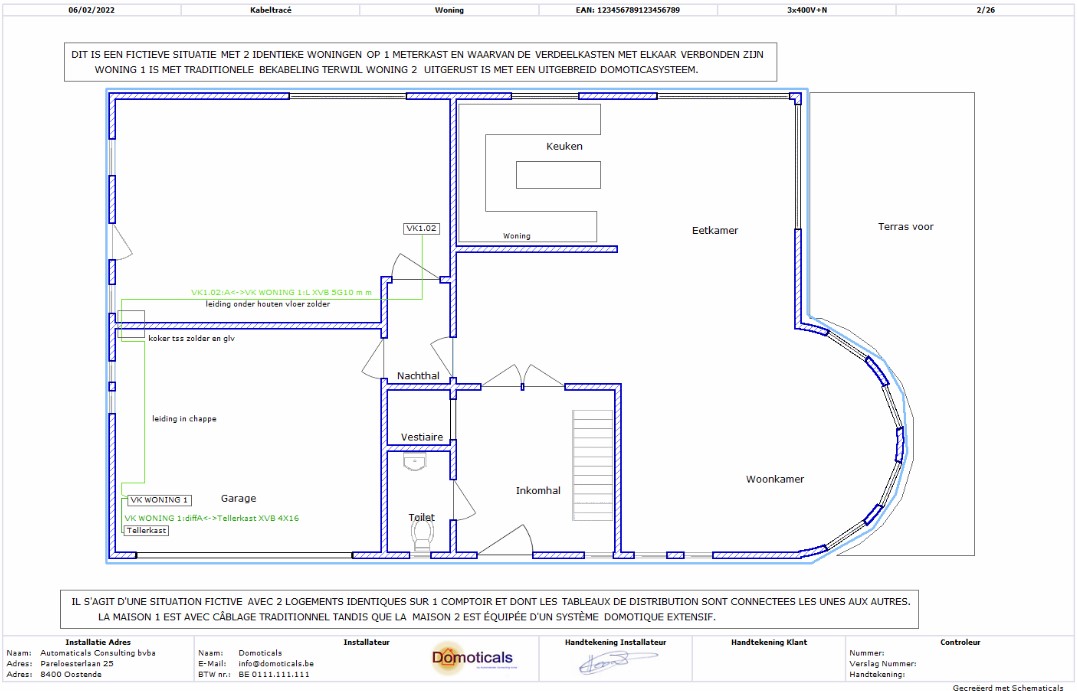
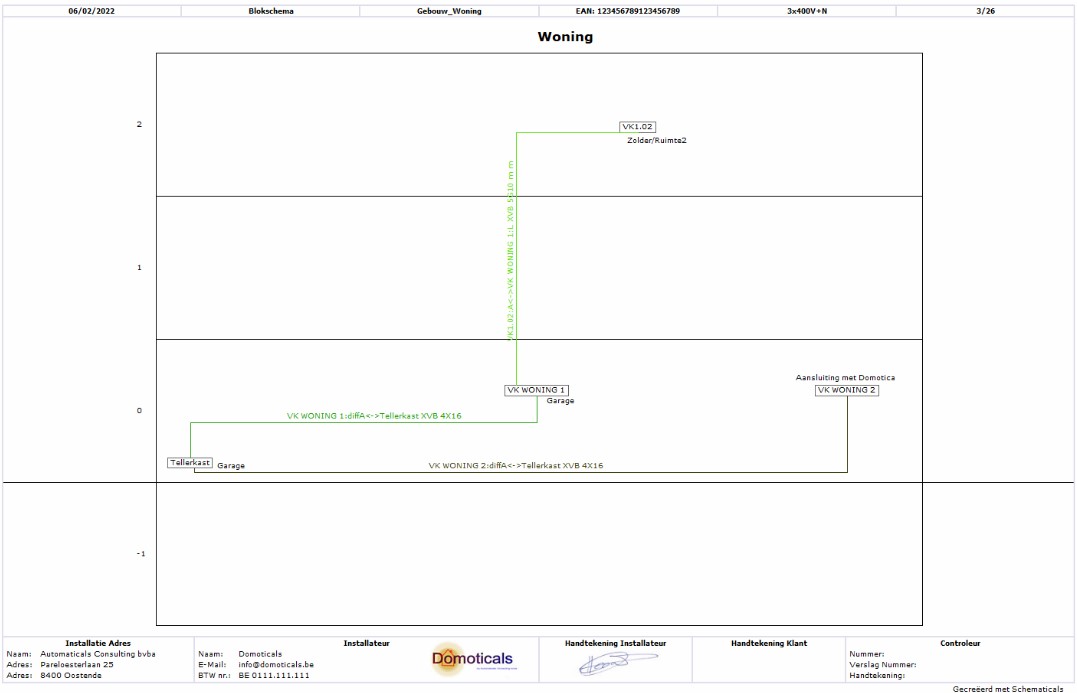
You can also draw a (underground) cable route and block diagram in a very intuitive way.
Work is constantly being done to make Schematicals even better and more complete.
Do you have questions? You can always contact us by phone, email or through the contact form on this website. You may also find the answer on our FAQ page.
Go to FAQwith sockets and appliances
with lighting, traditionally switched
Lighting, switched via home automation
with traditional switching
with switching via home automation
with home automation
also a connection diagram at once
Underground cable routing
Cable routing in a building
Block diagram in one building
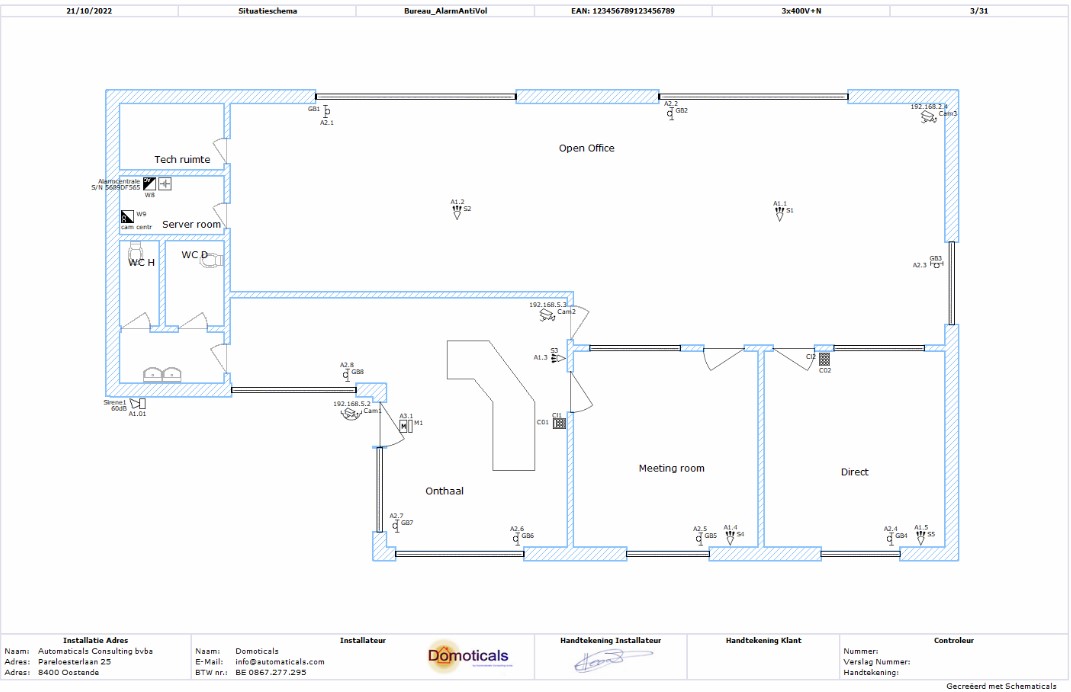
Situation diagram of a burglar alarm with labels and addresses at the components
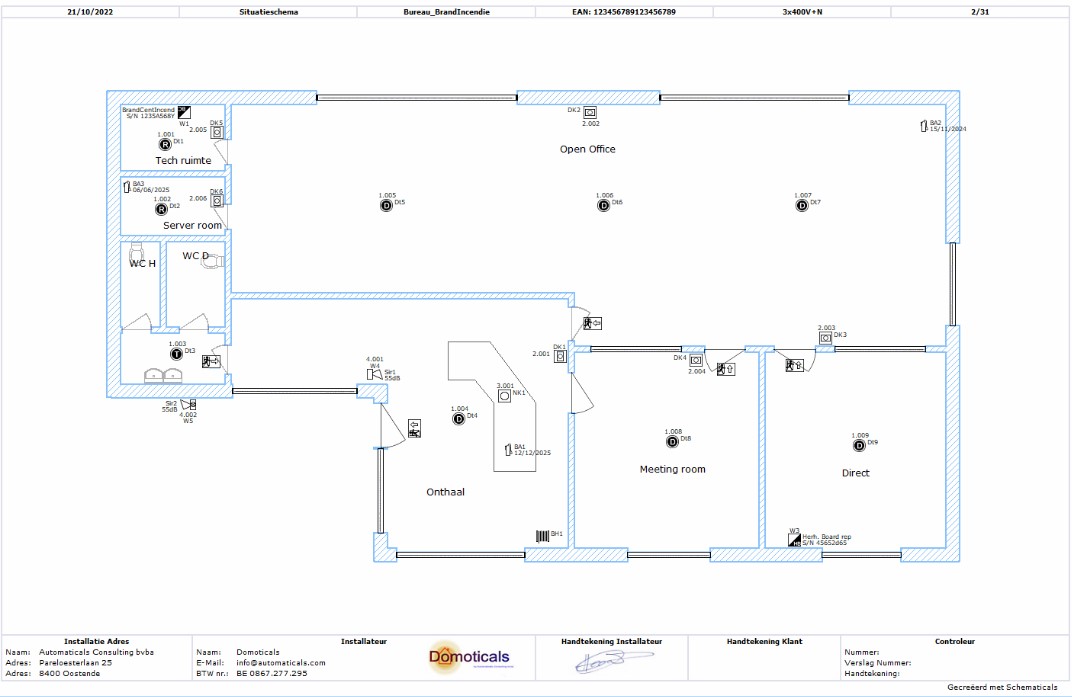
Situation diagram of a fire alarm with labels and addresses at the components
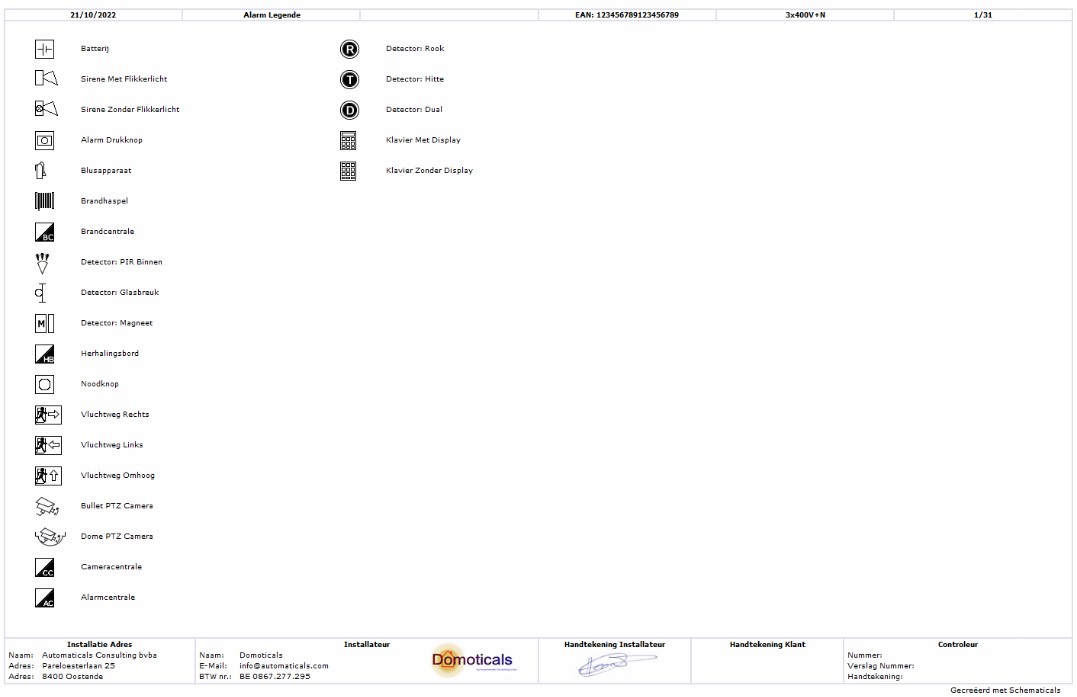
Legend with explanation of the symbols of the alarm components
Make the design of your distribution cabinet.
The single wire diagram of the PV installation is also automatically created
Draw a location plan of the solar panels very quickly.
| Compare | Trial | Pro 1M | Pro 6M | Pro 12M |
Pro unlimited |
|---|---|---|---|---|---|
| Type | Trial | Professional | Professional | Professional | Professional |
| Number of projects | Unlimited | Unlimited | Unlimited | Unlimited | Unlimited |
| Number of diagrams | Unlimited | Unlimited | Unlimited | Unlimited | Unlimited |
| Number of circuits | 3 | Unlimited | Unlimited | Unlimited | Unlimited |
| Number of Computers | 1* | 1* | 1* | 1* | 1* |
| Commercial purposes | | | | | |
| Without Watermark | | ||||
| Save | |||||
| Inventory list | |||||
| Duration | Unlimited | 1 month | 6 months | 12 months | Unlimited |
| Price (excl. VAT) | Free | 45€ | 140€ | 250€ | 800€ |
| Download | Buy | Buy | Buy | Buy |
* The license key can be easily migrated to another PC or laptop by the user. However, it is not possible to start 2 different software packages on 2 different computers with the same key.

Deze website maakt enkel gebruik van noodzakelijke cookies. Cookies zorgen voor een beter gebruiksgemak, maar ze geven ons ook de mogelijkheid iets meer over jou te weten. Door de aanbevolen cookies te aanvaarden, kan jouw surfervaring geoptimaliserd worden. Uiteraard is het volledig jouw keuze.
Ce site web n’utilise que les cookies nécessaires. Les cookies offrent une meilleure convivialité, mais ils nous donnent également la possibilité d'en savoir plus sur vous. En acceptant les cookies recommandés, votre expérience de navigation peut être optimisée. Bien sûr, c'est entièrement votre choix.